

Getting an API Key
To start using the pvnode API, you'll first need to generate an API key. Here's how:
1. Go to the API Keys page
Navigate to pvnode.com/api-keys in your web browser. You may be prompted to log in if you haven't already.
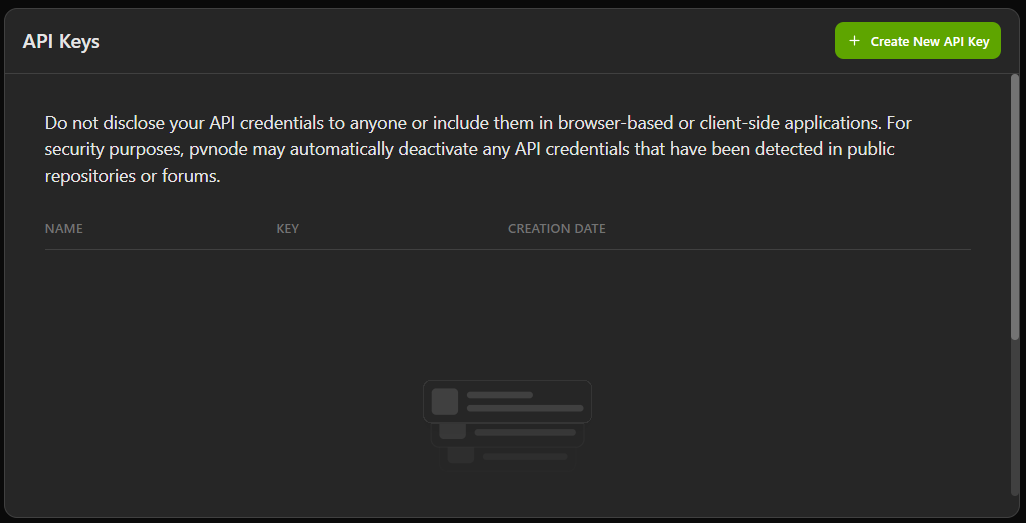
2. Create a new API key
Click the "Create new API Key" button located at the top right of the screen.
3. Name your key (optional)
You can optionally give your API key a descriptive name to help you identify it later. This is useful if you plan to generate multiple keys for different purposes.
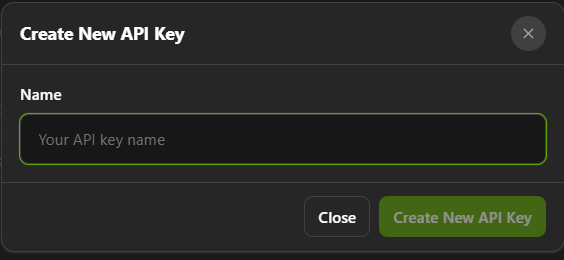
4. Generate the key
Click the "Create New Key" button in the pop-up window that appeared.
5. Copy your API key
Your new API key will be displayed in the API Keys list. Make sure to copy it immediately and store it in a safe place. The token will only be displayed once, so ensure you save it securely. It is not possible to view the token again. You can now use this API key to authenticate your API requests as described in the Authentication section of our documentation.